Branding makes your registration pages, rooms and emails look like yours. It’s set once for the workspace and applies to every webinar and challenge straight away.
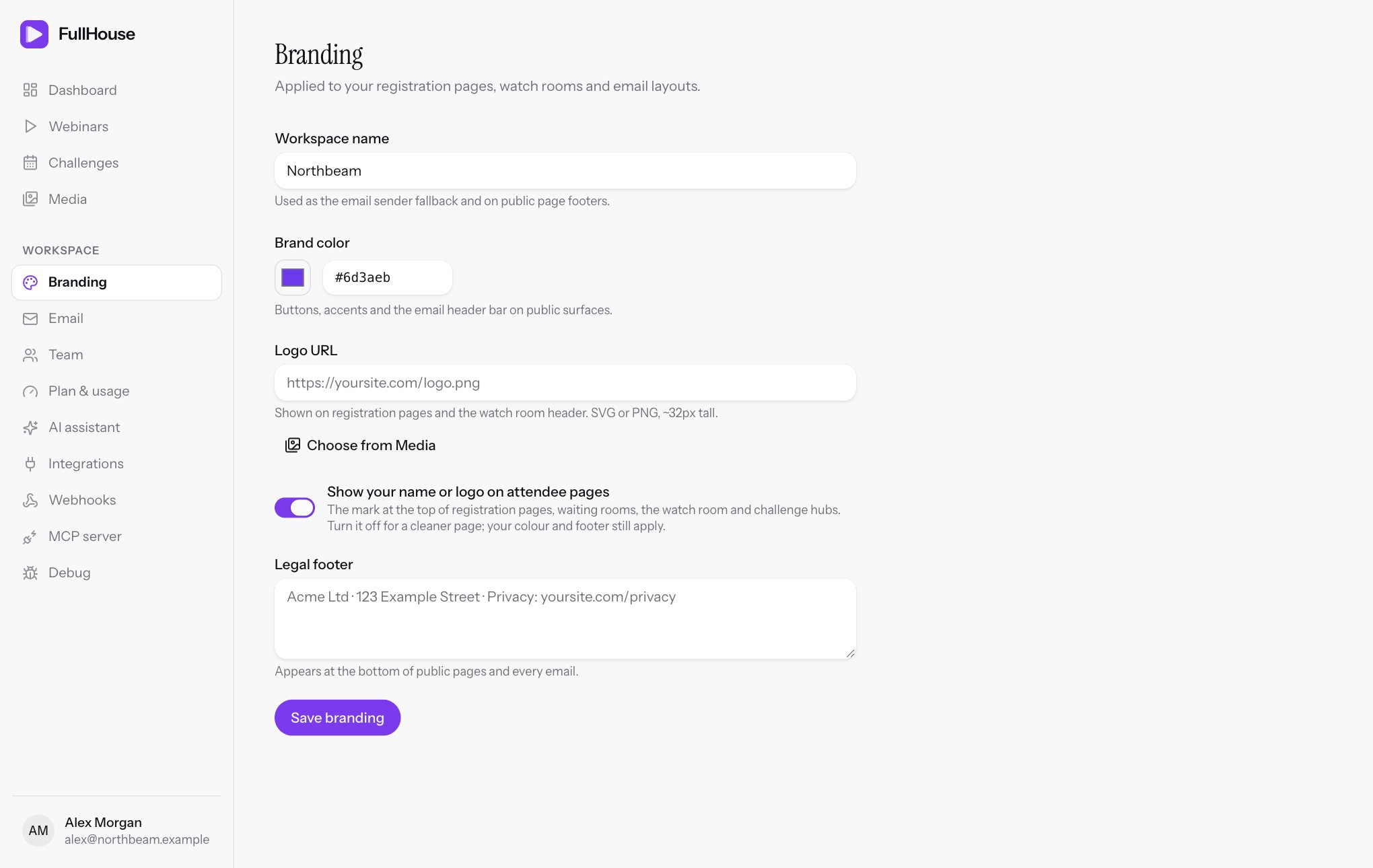
Open Workspace → Branding, change what you need, then click Save branding.
Fields
| Field | What it does | Default | Limits |
|---|---|---|---|
| Workspace name | Shown as your mark on attendee pages when you have no logo. Also the sender name if no From name is set. | Set when your account is created | Required, up to 100 characters |
| Brand color | Buttons and accents on attendee pages, the top bar and buttons in emails. Use the picker or type a hex value. | #6d28d9 (purple) |
Six-digit hex, such as #0f766e |
| Logo URL | Replaces your name at the top of attendee pages. Paste a link, or click Choose from Media to pick or upload one. | None | Must start with https://, up to 500 characters |
| Show your name or logo on attendee pages | Turn off to remove the mark from the top of pages. Your colour and footer still apply. | On | |
| Legal footer | Your business details, shown at the bottom of attendee pages and emails. | Empty | Up to 1,000 characters. Line breaks are kept on pages. |
If a value is rejected you’ll see one of these messages:
- Use a six-digit hex color. Type a
#and exactly six characters, for example#1d4ed8. Short forms such as#fffaren’t accepted. - Enter a valid HTTPS URL. The logo address must use
https://. Anhttp://link is refused.
Where each one appears
| Item | Registration, thank-you, hub and room pages | Waiting room | Embedded sign-up widget | Emails |
|---|---|---|---|---|
| Name or logo | Yes, top of page | Yes | No | No |
| Colour | Yes | Yes | Yes | Yes, a bar across the top and the link button |
| Legal footer | Yes, bottom of page | No | No | Yes, with the unsubscribe link |
Emails don’t include your logo. They use your colour and footer, so they read like a personal message rather than a designed newsletter.
Choose a logo that works
Use a wide logo with a transparent background, around 32px tall as displayed. The page sizes it to fit the header.
Choose from Media accepts PNG, JPG, GIF and WebP. If you want an SVG, host it yourself and paste its address into Logo URL. Library uploads don’t include SVG files.
Pick a colour attendees can read
Attendee pages work out a readable text colour for buttons from your brand colour. Emails always use white text on your button colour, so avoid very pale colours or your email buttons will be hard to read.
Write your legal footer
Put in the details your emails and pages need to carry, usually your business name, postal address and a link to your privacy policy:
Acme Ltd · 123 Example Street · Privacy: yoursite.com/privacyAnti-spam rules in many countries expect marketing email to show a physical address, and mailbox providers look more kindly on senders who include one. Check what applies to you.
If you’ve never saved a footer, emails show your workspace name in its place. Once you’ve saved the Branding page with the footer empty, emails show only the unsubscribe link there.
Related
- Email settings for the sender name and address
- Registration page for page copy on each webinar
- Embed widget for sign-up forms on your own site