A webhook sends a message to a web address the moment something happens in your webinar. Use one to pass data to Zapier, Make, a CRM that isn’t listed or your own system. Webhooks carry more detail than automation rules, including personal join links and answers to your registration questions.
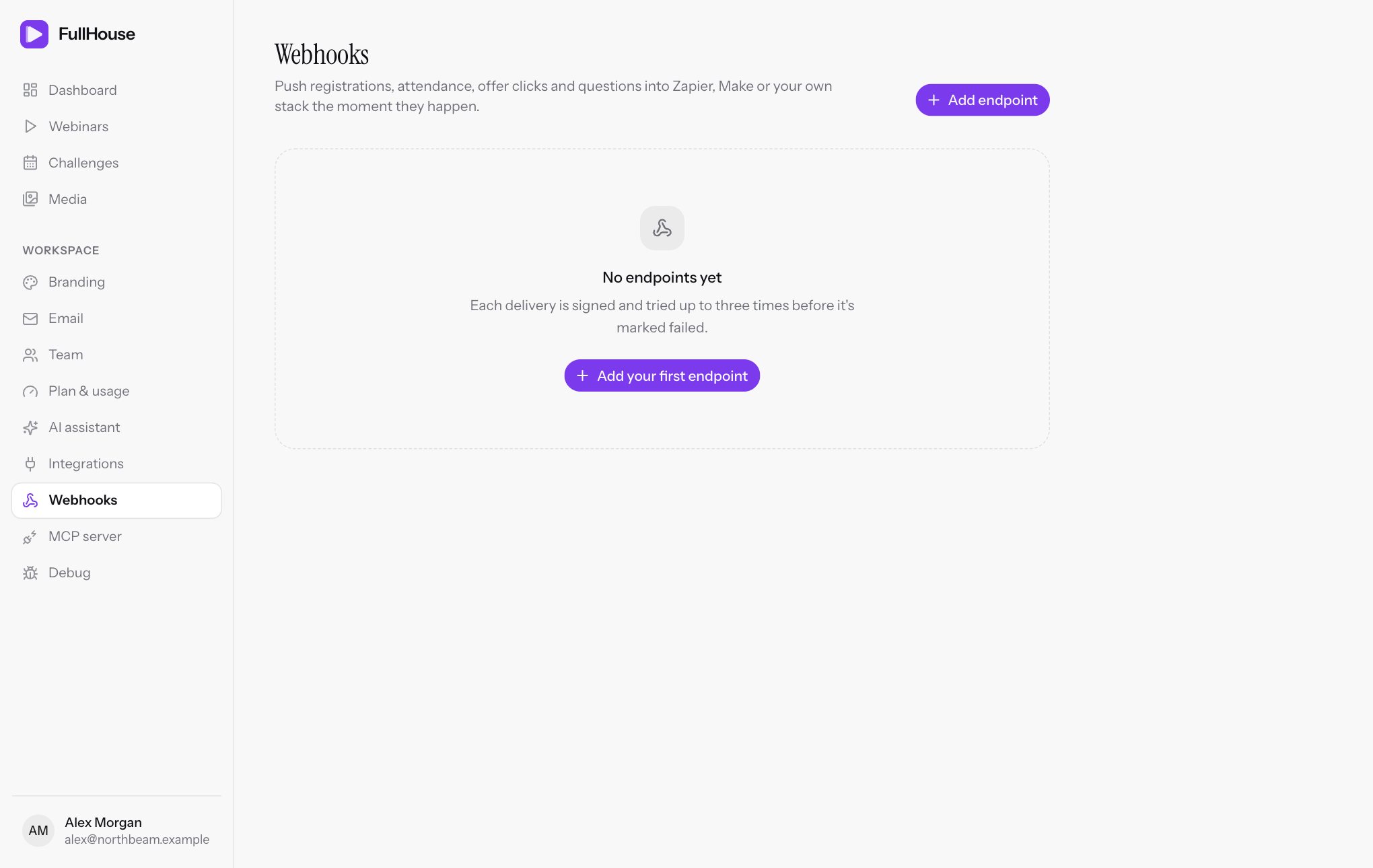
Endpoints belong to the workspace, so each one receives events from every webinar and challenge you run. There’s no filter by webinar, but each message says which webinar it’s about, so you can filter at the other end.
Add an endpoint
Get a URL
Get the address that will receive the events. In Zapier, that’s a Webhooks by Zapier trigger with Catch Hook. In Make, it’s a Custom webhook module. For your own system, it’s whichever address you’ve built.
Add it to FullHouse
Go to Workspace → Webhooks and click Add endpoint. Paste the address into Endpoint URL.
Choose your events
All the events under Events are ticked to start with. Untick those you don’t need.
Save and copy the secret
Click Add endpoint. A Signing secret appears once at the top of the page. Copy it now and store it safely. You’ll need it to verify requests.
Rules for the URL
The address must start with https:// and be reachable from the public internet. It can be up to 500 characters and can include a query string, but no username, password or # part.
| Message | What to do |
|---|---|
| Enter a valid HTTPS URL. | Check that it’s a complete address starting with https://. |
| Use a public HTTPS URL without credentials or a fragment. | Remove any user:password@ or # part. Local and internal addresses aren’t allowed. |
| Choose at least one supported event. | Tick at least one event. |
Manage endpoints
Each endpoint on the page shows its URL, number of events, when it was added, how many deliveries have failed, and a chip for each event.
- Switch to pause or resume it. While it’s paused, no new deliveries are created, so events that happen in that time are never sent. A delivery that was waiting to retry when you paused it isn’t sent either.
- Trash icon to delete it, after you confirm “Remove this endpoint?”. Its delivery history goes with it.
You can’t change an endpoint’s URL or events, or see or replace its secret, once it’s created. Delete it and add a new one, which gets a new secret, and update your receiving system.
A paused endpoint gets no deliveries. A delivery that falls due while it’s paused is marked failed, without using an attempt, with “This endpoint is paused. Turn it back on, then retry.” Turning the endpoint back on doesn’t resend these automatically, so retry each one from Debug.
Recent deliveries at the bottom of the page shows the latest 20 across all your endpoints, with their status and the response your endpoint gave. To retry a failure, use Debug.
| Status | Meaning |
|---|---|
pending |
Waiting to send, or waiting to retry. |
success |
Your endpoint replied with a 2xx status. |
failed |
All three attempts failed, or the endpoint was paused when it was due. It stays this way unless you retry it from Debug. |
Events
| Event | When it fires | How often |
|---|---|---|
registrant.created |
Someone new registers, including through an embed or Pinball. A challenge sign-up sends this once, for Day 1. Adding someone on the Registrants tab sends it too. Deleting a registrant sends nothing. | Once per registration. Registering again with the same email doesn’t send another. |
attendee.joined |
Someone enters the live room for the first time. | Once per registrant |
attendee.watched_percent |
Someone’s live watch time passes 10%, 25%, 50%, 75%, 90% or 100%. | Once per milestone at most. If two milestones pass at once, one event is sent, for the higher one. |
offer.seen |
An offer is shown to someone, live or on replay. | Once for the live room and once for replay, per registrant. It doesn’t fire again for a second offer. |
offer.clicked |
Someone clicks an offer, live or on replay. | Every click, so expect repeats |
poll.answered |
Someone answers a poll. | Every answer, including when they change it |
question.asked |
Someone sends a question from the Q&A tab. Chat messages don’t fire this. | Every question |
replay.viewed |
Someone opens the replay for the first time. | Once per registrant |
What each message looks like
Every message is a POST request with a JSON body and three parts at the top level: event, created_at (when it happened, in UTC) and data.
Fields in every event
| Field | What it holds |
|---|---|
data.webinar_id |
The webinar’s number. For a challenge, the day’s webinar. |
data.webinar_title |
Its title. |
data.session_id |
The session’s number. |
data.session_starts_at |
When the session starts, in UTC. |
data.registrant.id |
The registrant’s number. |
data.registrant.email |
Their email address. |
data.registrant.first_name |
Their first name. |
data.registrant.last_name |
Their last name, or null. |
data.registrant.phone |
Their phone number, or null. |
data.registrant.timezone |
Their time zone, or null. |
data.registrant.custom |
Answers to registration questions, or null. Each key is a question’s ID, holding the question and answer. Unanswered questions are left out. |
data.utm |
UTM values from registration, or null. Keys are source, medium, campaign, term and content, and only those with a value appear. |
data.join_link |
The person’s private link to the room. |
data.replay_link |
Their private link to the replay. |
data.attended |
Whether they’ve entered the live room. |
data.watch_seconds |
Seconds watched in the live room so far. |
data.percent_watched |
The same as a percentage of the webinar, up to 100. Sent as a decimal, such as 50.0. |
data.clicked_offer |
Whether they’ve clicked an offer in the live room. |
Watch figures only count the live room, so someone watching the replay can show 0.
registrant.created
No extra fields. The person hasn’t watched anything yet.
{
  "created_at": "2026-06-09T09:12:44+00:00",
  "data": {
    "attended": false,
    "clicked_offer": false,
    "join_link": "https://showtell.live/w/scaling-webinars/join/3f9a1c7e5b2d4f60a8c1e7d39b4f2a6c",
    "percent_watched": 0.0,
    "registrant": {
      "custom": {
        "q_7d1f0c2ab34e": {
          "answer": "Under 10 people",
          "question": "How big is your team?"
        }
      },
      "email": "[email protected]",
      "first_name": "Ada",
      "id": 48213,
      "last_name": "Lovelace",
      "phone": "+44 7700 900123",
      "timezone": "Europe/London"
    },
    "replay_link": "https://showtell.live/w/scaling-webinars/replay/3f9a1c7e5b2d4f60a8c1e7d39b4f2a6c",
    "session_id": 905,
    "session_starts_at": "2026-06-10T18:00:00+00:00",
    "utm": {
      "campaign": "june-launch",
      "medium": "email",
      "source": "newsletter"
    },
    "watch_seconds": 0,
    "webinar_id": 12,
    "webinar_title": "Scaling with evergreen webinars"
  },
  "event": "registrant.created"
}
attendee.joined
Adds data.join_offset_seconds, how far into the webinar they were when they arrived.
{
  "created_at": "2026-06-10T18:01:12+00:00",
  "data": {
    "attended": true,
    "clicked_offer": false,
    "join_link": "https://showtell.live/w/scaling-webinars/join/3f9a1c7e5b2d4f60a8c1e7d39b4f2a6c",
    "join_offset_seconds": 72,
    "percent_watched": 0.0,
    "registrant": {
      "custom": {
        "q_7d1f0c2ab34e": {
          "answer": "Under 10 people",
          "question": "How big is your team?"
        }
      },
      "email": "[email protected]",
      "first_name": "Ada",
      "id": 48213,
      "last_name": "Lovelace",
      "phone": "+44 7700 900123",
      "timezone": "Europe/London"
    },
    "replay_link": "https://showtell.live/w/scaling-webinars/replay/3f9a1c7e5b2d4f60a8c1e7d39b4f2a6c",
    "session_id": 905,
    "session_starts_at": "2026-06-10T18:00:00+00:00",
    "utm": {
      "campaign": "june-launch",
      "medium": "email",
      "source": "newsletter"
    },
    "watch_seconds": 0,
    "webinar_id": 12,
    "webinar_title": "Scaling with evergreen webinars"
  },
  "event": "attendee.joined"
}
attendee.watched_percent
Adds data.milestone, the milestone passed: 10, 25, 50, 75, 90 or 100.
{
  "created_at": "2026-06-10T18:30:40+00:00",
  "data": {
    "attended": true,
    "clicked_offer": false,
    "join_link": "https://showtell.live/w/scaling-webinars/join/3f9a1c7e5b2d4f60a8c1e7d39b4f2a6c",
    "milestone": 50,
    "percent_watched": 50.0,
    "registrant": {
      "custom": {
        "q_7d1f0c2ab34e": {
          "answer": "Under 10 people",
          "question": "How big is your team?"
        }
      },
      "email": "[email protected]",
      "first_name": "Ada",
      "id": 48213,
      "last_name": "Lovelace",
      "phone": "+44 7700 900123",
      "timezone": "Europe/London"
    },
    "replay_link": "https://showtell.live/w/scaling-webinars/replay/3f9a1c7e5b2d4f60a8c1e7d39b4f2a6c",
    "session_id": 905,
    "session_starts_at": "2026-06-10T18:00:00+00:00",
    "utm": {
      "campaign": "june-launch",
      "medium": "email",
      "source": "newsletter"
    },
    "watch_seconds": 1800,
    "webinar_id": 12,
    "webinar_title": "Scaling with evergreen webinars"
  },
  "event": "attendee.watched_percent"
}
offer.seen
Adds data.offer, with the offer’s id and headline.
{
  "created_at": "2026-06-10T18:42:00+00:00",
  "data": {
    "attended": true,
    "clicked_offer": false,
    "join_link": "https://showtell.live/w/scaling-webinars/join/3f9a1c7e5b2d4f60a8c1e7d39b4f2a6c",
    "offer": {
      "headline": "Join the Evergreen Accelerator",
      "id": 3307
    },
    "percent_watched": 67.0,
    "registrant": {
      "custom": {
        "q_7d1f0c2ab34e": {
          "answer": "Under 10 people",
          "question": "How big is your team?"
        }
      },
      "email": "[email protected]",
      "first_name": "Ada",
      "id": 48213,
      "last_name": "Lovelace",
      "phone": "+44 7700 900123",
      "timezone": "Europe/London"
    },
    "replay_link": "https://showtell.live/w/scaling-webinars/replay/3f9a1c7e5b2d4f60a8c1e7d39b4f2a6c",
    "session_id": 905,
    "session_starts_at": "2026-06-10T18:00:00+00:00",
    "utm": {
      "campaign": "june-launch",
      "medium": "email",
      "source": "newsletter"
    },
    "watch_seconds": 2400,
    "webinar_id": 12,
    "webinar_title": "Scaling with evergreen webinars"
  },
  "event": "offer.seen"
}
offer.clicked
Adds data.offer, with the offer’s id, headline and url.
{
  "created_at": "2026-06-10T18:44:31+00:00",
  "data": {
    "attended": true,
    "clicked_offer": true,
    "join_link": "https://showtell.live/w/scaling-webinars/join/3f9a1c7e5b2d4f60a8c1e7d39b4f2a6c",
    "offer": {
      "headline": "Join the Evergreen Accelerator",
      "id": 3307,
      "url": "https://yoursite.com/accelerator"
    },
    "percent_watched": 71.0,
    "registrant": {
      "custom": {
        "q_7d1f0c2ab34e": {
          "answer": "Under 10 people",
          "question": "How big is your team?"
        }
      },
      "email": "[email protected]",
      "first_name": "Ada",
      "id": 48213,
      "last_name": "Lovelace",
      "phone": "+44 7700 900123",
      "timezone": "Europe/London"
    },
    "replay_link": "https://showtell.live/w/scaling-webinars/replay/3f9a1c7e5b2d4f60a8c1e7d39b4f2a6c",
    "session_id": 905,
    "session_starts_at": "2026-06-10T18:00:00+00:00",
    "utm": {
      "campaign": "june-launch",
      "medium": "email",
      "source": "newsletter"
    },
    "watch_seconds": 2550,
    "webinar_id": 12,
    "webinar_title": "Scaling with evergreen webinars"
  },
  "event": "offer.clicked"
}
poll.answered
Adds data.poll, with its id, question and the chosen answer.
{
  "created_at": "2026-06-10T18:15:03+00:00",
  "data": {
    "attended": true,
    "clicked_offer": false,
    "join_link": "https://showtell.live/w/scaling-webinars/join/3f9a1c7e5b2d4f60a8c1e7d39b4f2a6c",
    "percent_watched": 25.0,
    "poll": {
      "answer": "Webinars",
      "id": 3299,
      "question": "Where do most of your leads come from?"
    },
    "registrant": {
      "custom": {
        "q_7d1f0c2ab34e": {
          "answer": "Under 10 people",
          "question": "How big is your team?"
        }
      },
      "email": "[email protected]",
      "first_name": "Ada",
      "id": 48213,
      "last_name": "Lovelace",
      "phone": "+44 7700 900123",
      "timezone": "Europe/London"
    },
    "replay_link": "https://showtell.live/w/scaling-webinars/replay/3f9a1c7e5b2d4f60a8c1e7d39b4f2a6c",
    "session_id": 905,
    "session_starts_at": "2026-06-10T18:00:00+00:00",
    "utm": {
      "campaign": "june-launch",
      "medium": "email",
      "source": "newsletter"
    },
    "watch_seconds": 900,
    "webinar_id": 12,
    "webinar_title": "Scaling with evergreen webinars"
  },
  "event": "poll.answered"
}
question.asked
Adds data.question, the text they sent.
{
  "created_at": "2026-06-10T18:20:18+00:00",
  "data": {
    "attended": true,
    "clicked_offer": false,
    "join_link": "https://showtell.live/w/scaling-webinars/join/3f9a1c7e5b2d4f60a8c1e7d39b4f2a6c",
    "percent_watched": 33.0,
    "question": "Is there a payment plan?",
    "registrant": {
      "custom": {
        "q_7d1f0c2ab34e": {
          "answer": "Under 10 people",
          "question": "How big is your team?"
        }
      },
      "email": "[email protected]",
      "first_name": "Ada",
      "id": 48213,
      "last_name": "Lovelace",
      "phone": "+44 7700 900123",
      "timezone": "Europe/London"
    },
    "replay_link": "https://showtell.live/w/scaling-webinars/replay/3f9a1c7e5b2d4f60a8c1e7d39b4f2a6c",
    "session_id": 905,
    "session_starts_at": "2026-06-10T18:00:00+00:00",
    "utm": {
      "campaign": "june-launch",
      "medium": "email",
      "source": "newsletter"
    },
    "watch_seconds": 1200,
    "webinar_id": 12,
    "webinar_title": "Scaling with evergreen webinars"
  },
  "event": "question.asked"
}
replay.viewed
No extra fields.
{
  "created_at": "2026-06-11T08:05:09+00:00",
  "data": {
    "attended": false,
    "clicked_offer": false,
    "join_link": "https://showtell.live/w/scaling-webinars/join/3f9a1c7e5b2d4f60a8c1e7d39b4f2a6c",
    "percent_watched": 0.0,
    "registrant": {
      "custom": {
        "q_7d1f0c2ab34e": {
          "answer": "Under 10 people",
          "question": "How big is your team?"
        }
      },
      "email": "[email protected]",
      "first_name": "Ada",
      "id": 48213,
      "last_name": "Lovelace",
      "phone": "+44 7700 900123",
      "timezone": "Europe/London"
    },
    "replay_link": "https://showtell.live/w/scaling-webinars/replay/3f9a1c7e5b2d4f60a8c1e7d39b4f2a6c",
    "session_id": 905,
    "session_starts_at": "2026-06-10T18:00:00+00:00",
    "utm": {
      "campaign": "june-launch",
      "medium": "email",
      "source": "newsletter"
    },
    "watch_seconds": 0,
    "webinar_id": 12,
    "webinar_title": "Scaling with evergreen webinars"
  },
  "event": "replay.viewed"
}
Headers
Every request includes these headers:
| Header | What it holds |
|---|---|
Content-Type |
application/json |
X-FullHouse-Event |
The event name, such as registrant.created. |
X-FullHouse-Delivery |
A number for this delivery. It stays the same on every retry, so use it to spot repeats. |
X-FullHouse-Signature |
The signature, so you can check the message is genuine. |
Verify requests
If you’ve built your own endpoint, check the signature before trusting a message. Otherwise, anyone who finds your URL could send you fake registrations. Tools like Zapier and Make don’t usually need this, because their URLs are long and hard to guess.
X-FullHouse-Signature is an HMAC-SHA256 of the raw request body, using your signing secret as the key, written as lowercase hex. There’s no prefix or timestamp.
Always work from the exact bytes received. Parsing the JSON and converting it back to text can change it, and the signature won’t match.
import crypto from 'node:crypto';
import express from 'express';

const app = express();
const secret = process.env.FULLHOUSE_WEBHOOK_SECRET;

// express.raw keeps the body exactly as it arrived.
app.post('/fullhouse', express.raw({ type: 'application/json' }), (req, res) => {
  const expected = crypto
    .createHmac('sha256', secret)
    .update(req.body)
    .digest('hex');
  const received = req.get('X-FullHouse-Signature') ?? '';

  const valid =
    received.length === expected.length &&
    crypto.timingSafeEqual(Buffer.from(received), Buffer.from(expected));

  if (!valid) {
    return res.status(401).send('Invalid signature');
  }

  // Reply first, then do any slow work. You have 10 seconds.
  res.sendStatus(200);

  const event = JSON.parse(req.body);
  const delivery = req.get('X-FullHouse-Delivery');
  console.log(delivery, event.event, event.data.registrant.email);
});

app.listen(3000);
Since the signature has no timestamp, a captured request stays valid. If that matters to you, keep the X-FullHouse-Delivery numbers you’ve handled and ignore repeats.
Retries
An attempt succeeds if your endpoint replies with a 2xx status within 10 seconds. Anything else counts as a failure, including a redirect, because FullHouse doesn’t follow them. It allows 5 seconds of that to connect.
| Attempt | When |
|---|---|
| 1st | As soon as the event happens |
| 2nd | About 30 seconds after the first fails |
| 3rd | About 5 minutes after the second fails |
After the third failure, the delivery is marked failed and shows under Failed webhook deliveries in Debug, where you can click Retry to send it again with a fresh three attempts. A retried message has its original contents, including its original created_at. There’s no automatic retry after that, and an endpoint isn’t switched off for failing.
So your system should:
- Reply fast. Return a 2xx straight away, and do slow work afterwards.
- Expect repeats. A message can arrive twice, for example if your reply gets lost. Use
X-FullHouse-Deliveryto ignore repeats. - Not rely on order. Messages can arrive out of order, particularly after a retry. Use
created_atif the order matters.
| Error | What it means |
|---|---|
| Webhook returned HTTP 500. | Your endpoint replied with that status. Check your system. |
| Webhook request failed. | FullHouse couldn’t connect or didn’t get a reply in time, the address no longer points to a public location, or the reply was over 1 MB. |
Test an endpoint
There’s no test button. To send a real event:
- Add your endpoint. If you want a look at the messages first, use Zapier’s Catch Hook, or any request-inspection tool, as a temporary URL.
- Publish a webinar, or use one that’s already live, and register with a new email address, such as
[email protected]. That sendsregistrant.created. - Check Recent deliveries on the Webhooks page for the status.
- For other events, join the session and watch, answer a poll, ask a question and click the offer.
Registering again with the same email doesn’t send another registrant.created, so use a new address for each try.
Related
- Debug for failed deliveries
- Automations for tagging without code
- Registrants for what you can see without a webhook