FullHouse can pass what attendees do to the tools you already use, take registrations from your own pages, and let AI tools work in your account. Use this page to pick the right connection. Most people need only one or two.
Choose a connection
| You want to | Use | Set up in |
|---|---|---|
| Tag people in Kit when they register, attend or click | Kit | Workspace → Integrations, then a rule on each webinar |
| Sync contacts and tags to ActiveCampaign | ActiveCampaign | Workspace → Integrations, then a rule on each webinar |
| Register people from Pinball funnels, then tag and enroll them in Pinball | Pinball | One approval from Workspace → Integrations |
| Start a GoHighLevel workflow | GoHighLevel | A rule on each webinar, with a URL from GoHighLevel |
| Send events to Zapier, Make or your own system | Webhooks | Workspace → Webhooks |
| Put a sign-up form on your own website | Embed widget | The webinar’s registration settings |
| Let Claude, ChatGPT or another AI tool build and run webinars | MCP server | Workspace → MCP server |
Rules or webhooks?
Automation rules are the simple choice when you want a contact tagged or a workflow started. You set them per webinar, you pick from your real tags, and each rule fires once per person.
Webhooks carry more detail, such as custom question answers, personal join links, poll answers and questions. An endpoint receives events from every webinar and challenge. Use them when your CRM isn’t listed, or you need data that rules don’t send.
You can use both at the same time.
How the Integrations page works
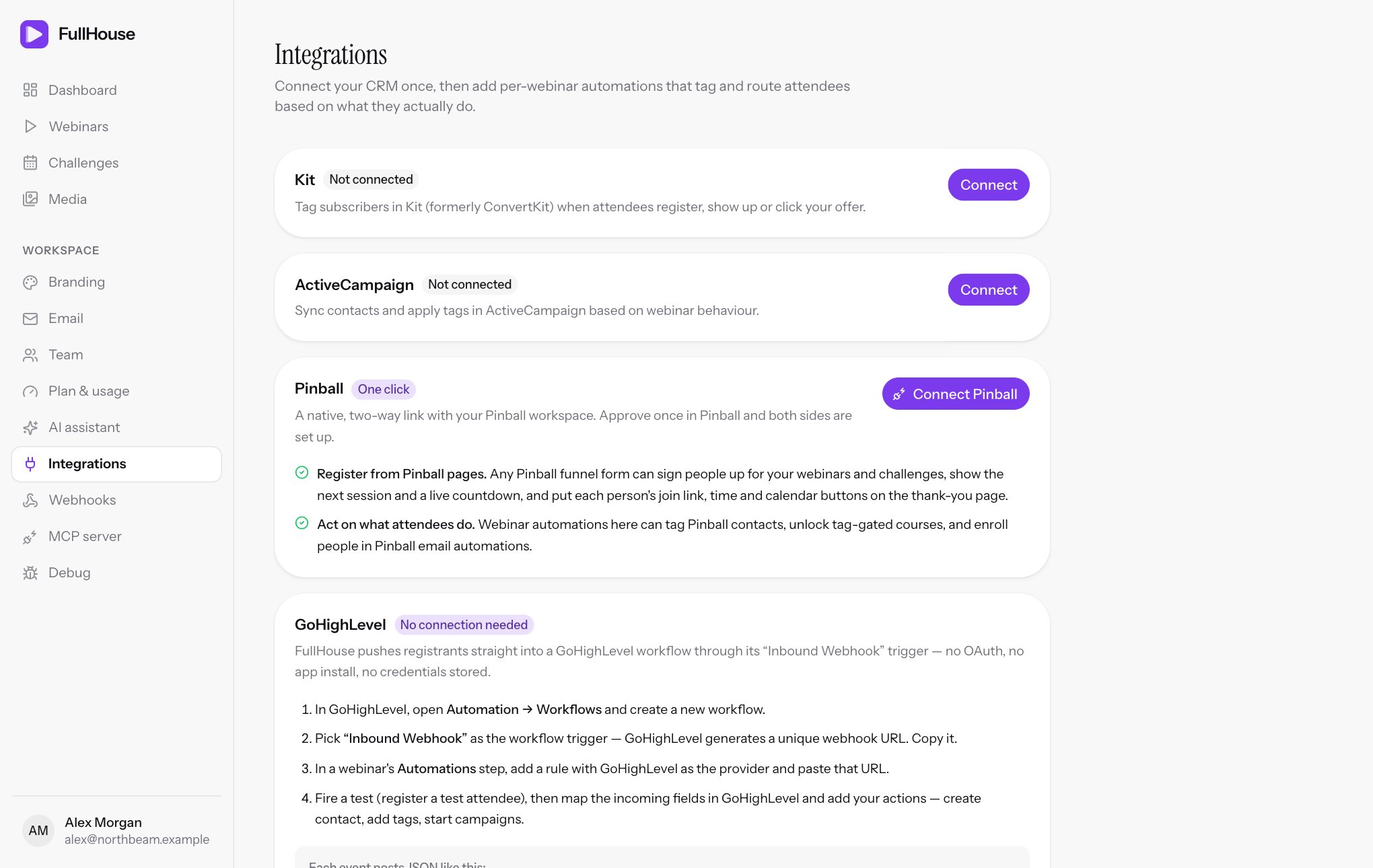
Workspace → Integrations has a card for each of Kit, ActiveCampaign, Pinball and GoHighLevel. You connect once per workspace, and you can have one connection to each.
- Connect the tool on this page. This only stores the credentials. Nothing is sent to the tool yet.
- Test and sync. For Kit and ActiveCampaign, click Test connection and then Sync tags. Connecting doesn’t do either for you. Pinball tests and syncs itself when you connect.
- Add rules on each webinar, in its Automations step. See Automations.
Buttons on each card
| Button | What it does |
|---|---|
| Connect | Opens a window for your credentials. They’re stored encrypted and never shown again. |
| Test connection | Reads your tags from the tool to check the credentials work. Shows “Connection verified” or “Last test failed”, with how long ago. |
| Sync tags | Copies your current tags from the tool into FullHouse, so they appear when you add a rule. Run it after creating a new tag. You can also click Refresh tags while adding a rule. |
| Update credentials | Replaces your saved key. Leave the key blank to keep the saved one. |
| Disconnect | Removes the connection after you confirm. Rules that use it stay in place, but fail until you reconnect. |
You can test or sync 10 times a minute. After that you’ll see “Too many attempts. Please retry later.”
What can trigger a rule
| In the rule | Fires when |
|---|---|
| Registers | Someone registers for this webinar. |
| Joins the live room | They enter the live room for the first time. |
| Watches at least… | Their watch time reaches 10%, 25%, 50%, 75%, 90% or 100% of the webinar. Live room only. |
| Sees the offer | An offer appears for them, live or on replay. |
| Clicks the offer | They click an offer, live or on replay. |
| Opens the replay | They open the replay for the first time. |
Each rule fires once per person, however many times they repeat the action. The rule keeps a count of its runs and failures. Switching off Active pauses a rule and keeps its history. Deleting it removes the history as well.
On a challenge, a sign-up runs each day’s Registers rules once, for that day’s registration. All the other triggers work per day. Webhooks send registrant.created once for each challenge sign-up.
When an automation fails
A failing rule shows the count and the latest error on its card, in the webinar’s Automations step. It tries three times over about five minutes, then stops for that person and appears under Failed automations on Debug. Fix the cause, then retry it there. The next person’s action will run as normal.
If several things have to happen for one person, such as creating a contact and then adding tags, a retry continues from where it stopped, so nothing is done twice.
| Error | What it means | What to do |
|---|---|---|
| Integration is not connected for this workspace. | The tool was disconnected. | Reconnect it. |
| Integration returned HTTP 401. | The tool refused your key. | Check it, and use Update credentials. |
| Integration returned HTTP 404. | Usually a tag that was deleted in the tool, or for GoHighLevel, a deleted workflow. | Edit the rule. |
| Integration returned HTTP 429. | The tool was rate limiting you. | It’s retried automatically. If it keeps happening, check your plan with that tool. |
| Integration request failed. | FullHouse couldn’t reach the tool. | Check the tool’s status. |
| Pinball no longer accepts this connection. Reconnect it under Integrations. | The link was removed in Pinball. | Connect Pinball again. |
Related
- Automations for adding rules to a webinar
- Debug for failed emails, webhook deliveries and automations